Skip to content

V1.0.0 betaOSS

Dr. Rocket is a Racket IDE written in Rust. It runs every DrRacket language level, steps through code exactly like DrRacket’s stepper, and adds a Visualizer that draws your program as it runs.

Requires Racket: get it at racket-lang.org. Free for macOS, Windows and Linux.

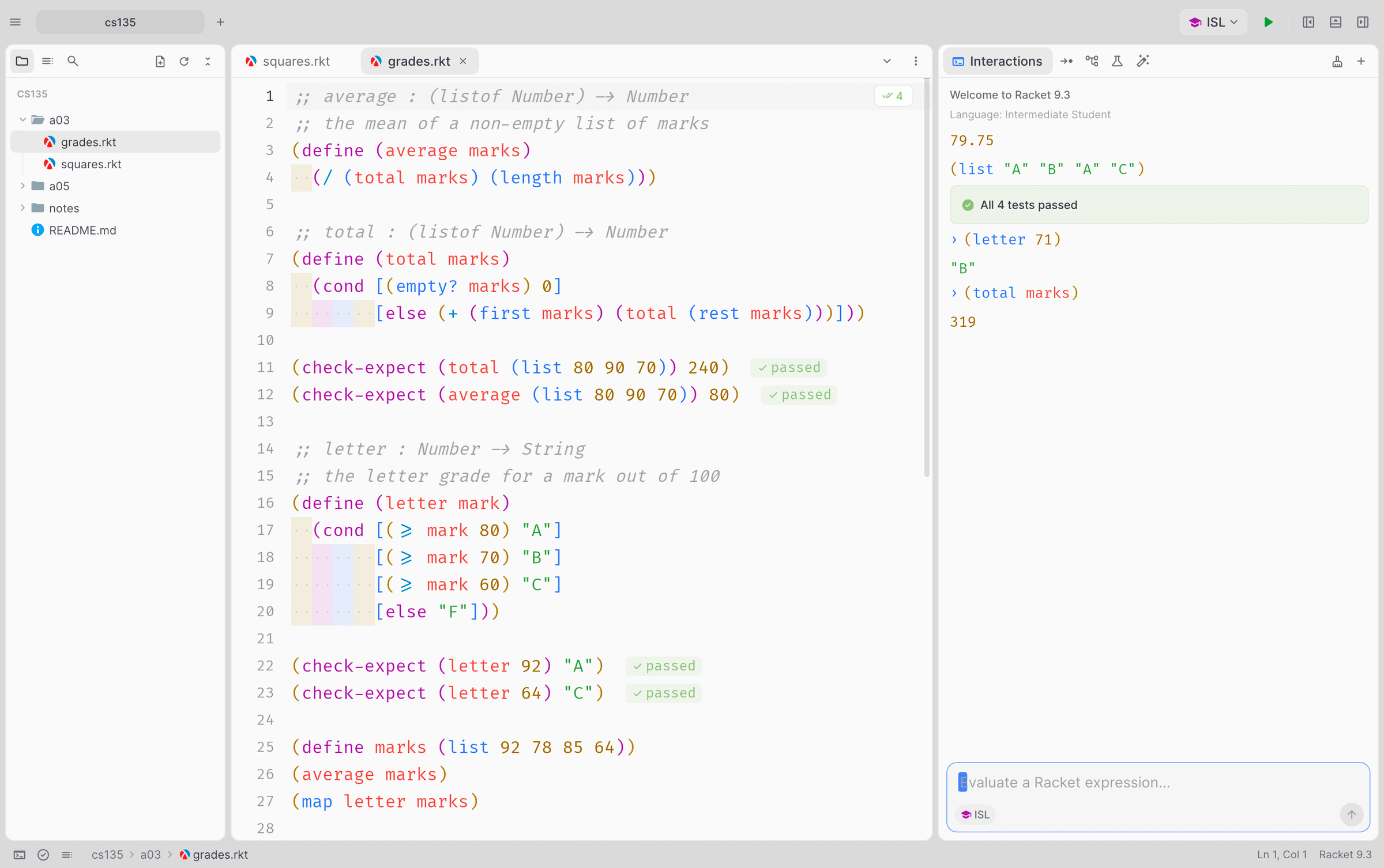
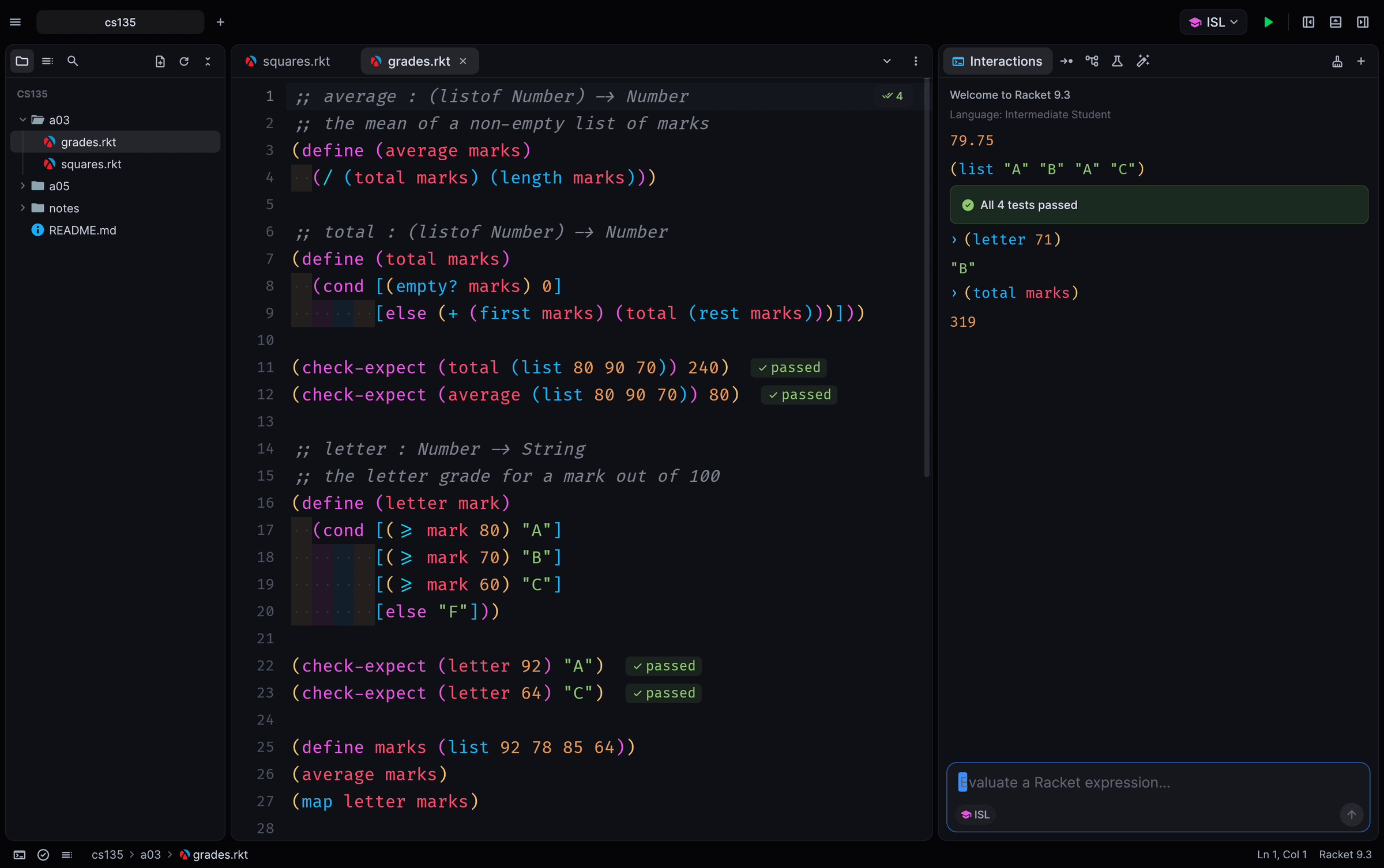
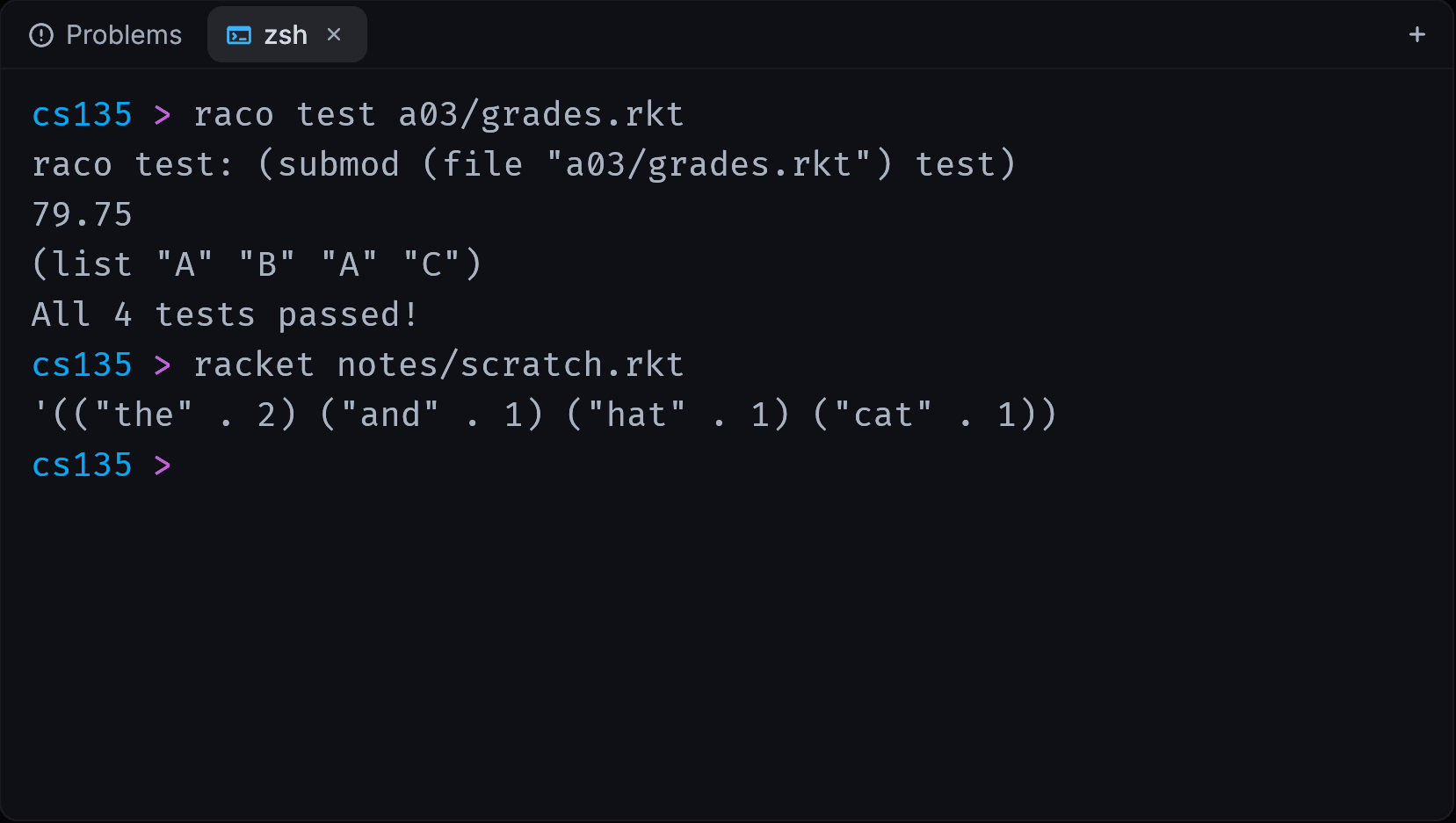
Dr. Rocket with an Intermediate Student program: the file tree on the left, check-expect results passing inline, and the REPL on the right showing the results of a run.An integrated terminal in Dr. Rocket running raco test on an assignment.

Same Racket underneath. A modern editor on top.

DrRacket is the reference, and Dr. Rocket runs Racket’s own stepper, check syntax, debugger and test engine under the hood. What’s new is everything around them: a GPU-rendered editor, a file tree, tabs, a command palette, integrated terminals and themes.

Windows download
11.5 MB
Universal Mac app, Apple Silicon and Intel
22 MB
language levels, plus any #lang
11
free, with no account to make
$0

Watch your program think.

Run a program and replay it one step at a time. Every call gets a frame, trees and lists are drawn as real diagrams, and each step is explained in plain words while its code lights up in the editor.

  • Frames for every call

    Arguments and locals for each call. Tail calls replace their caller’s frame, as Racket runs them.

  • Trees and lists, drawn

    Structs that point to their own type become trees, cons cells become chains, and both glide as they change.

  • Explained in plain words

    “Is (empty? t) true? Yes.” Each step says what happened and why, so recursion stops being magic.

A stepper that matches DrRacket, step for step.

See every reduction before and after, mirrored in your source. Dr. Rocket drives DrRacket’s own stepper, so you get the same steps your course notes show, cons chains printed as lists, images drawn inline, all the way to the final value.
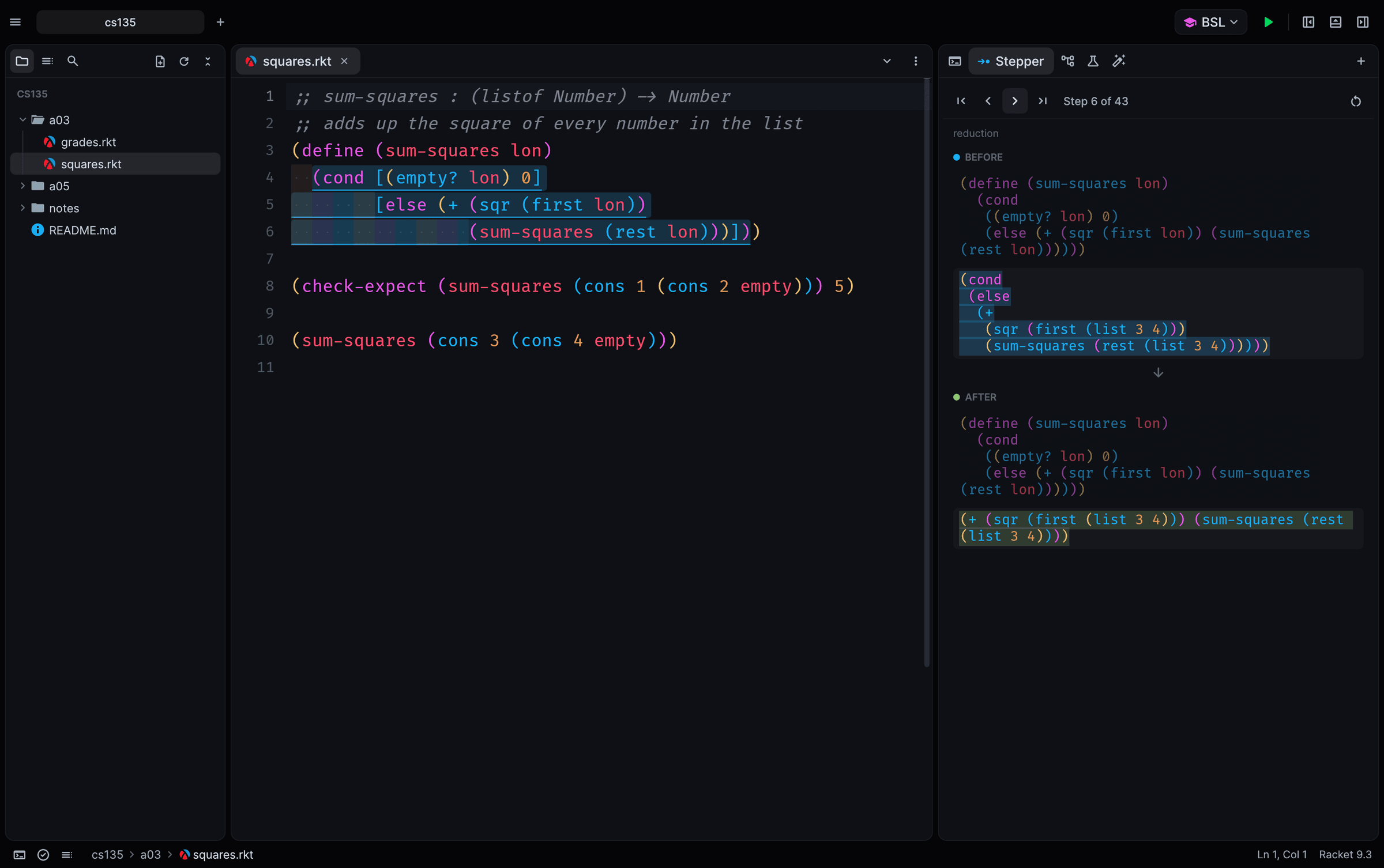
The stepper showing a cond expression before and after one reduction, with the matching code highlighted in the editor.

Binding arrows, rename and a real debugger.

Check syntax runs in the background: arrows from each binding to its uses, unused bindings, hover info, rename and go to definition across files. Set breakpoints in the gutter and step into, over and out with locals and the call stack. The profiler, test coverage and macro stepper are here too.

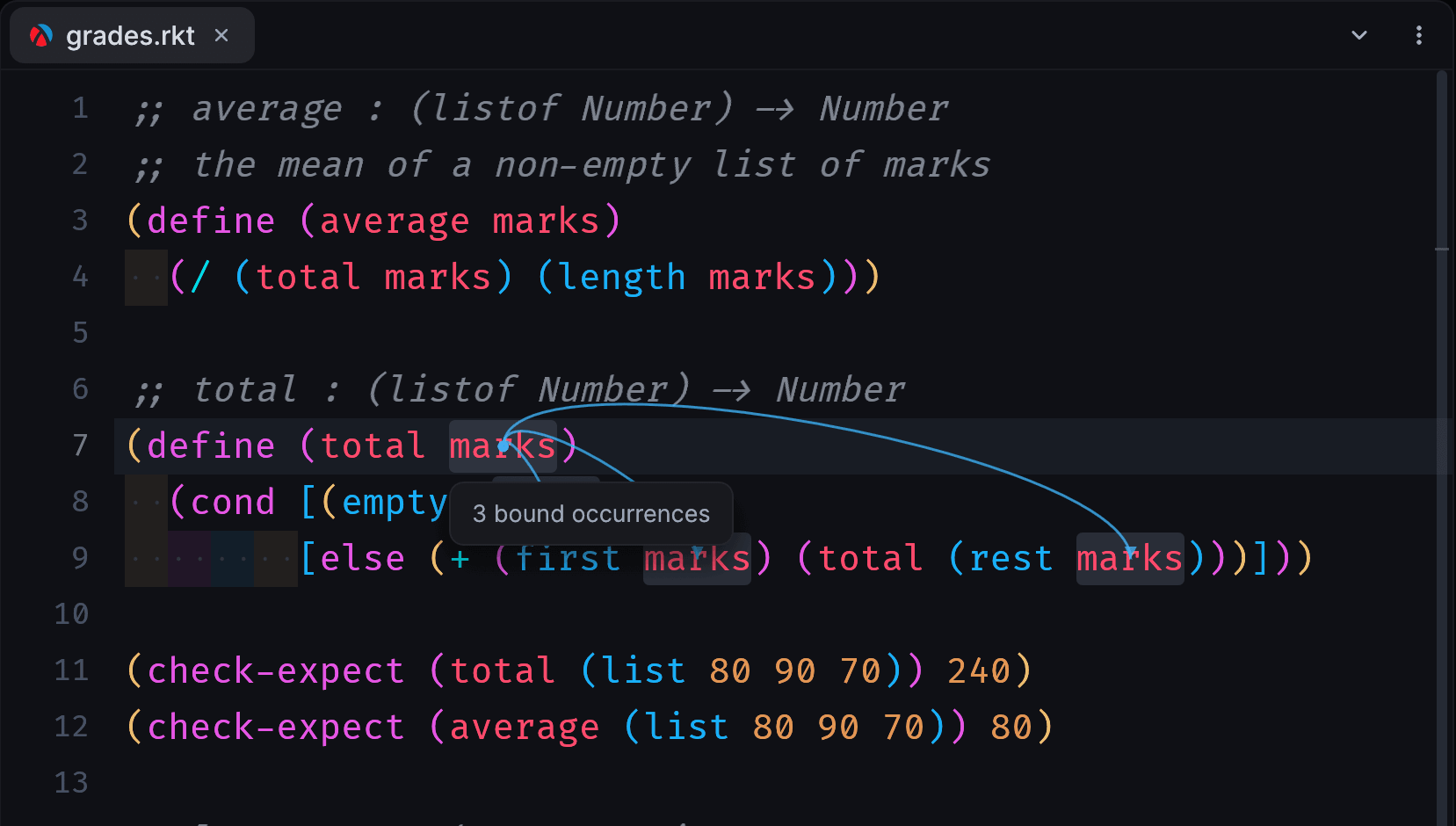
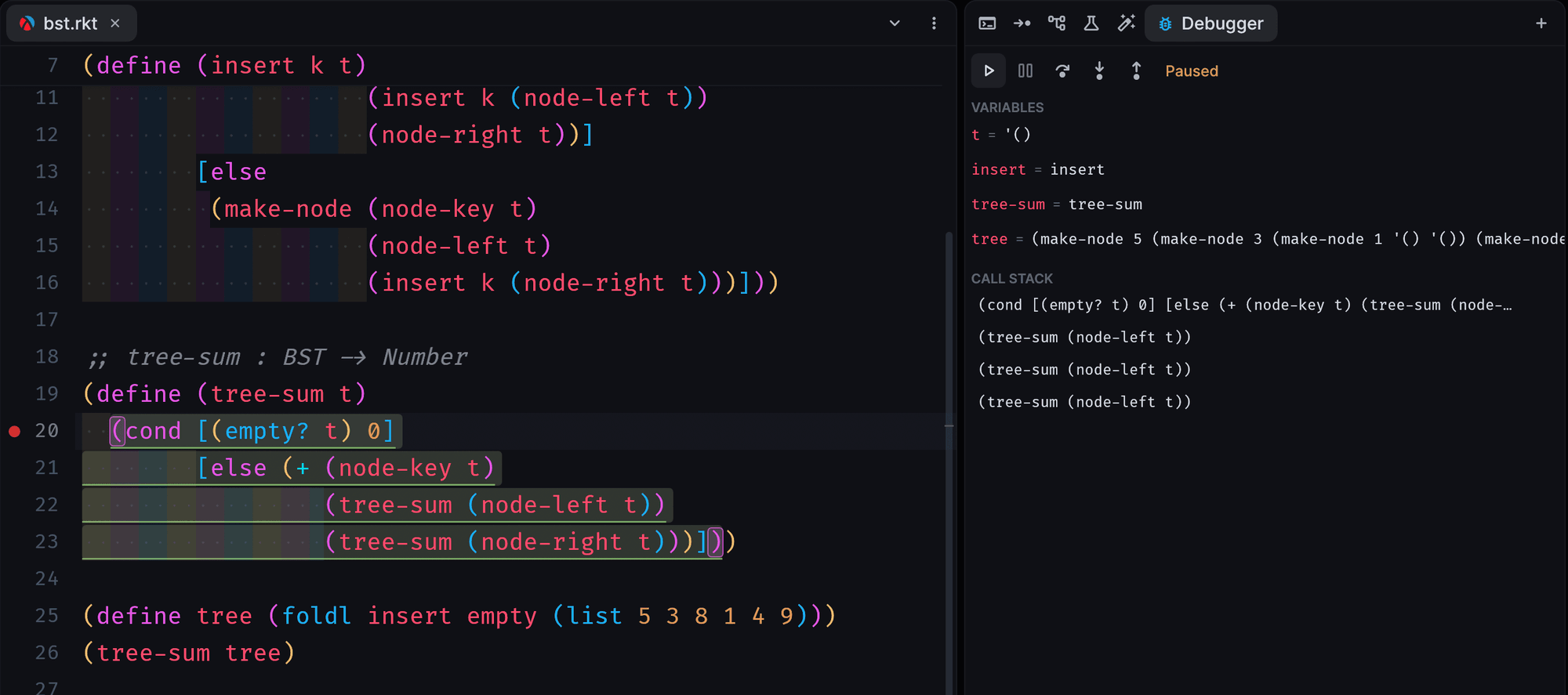
The debugger paused at a breakpoint inside tree-sum, with variables and a call stack of recursive calls.Check syntax arrows from the parameter marks to its three uses, with a tooltip reading 3 bound occurrences.

Your DrRacket files, pasted images and all.

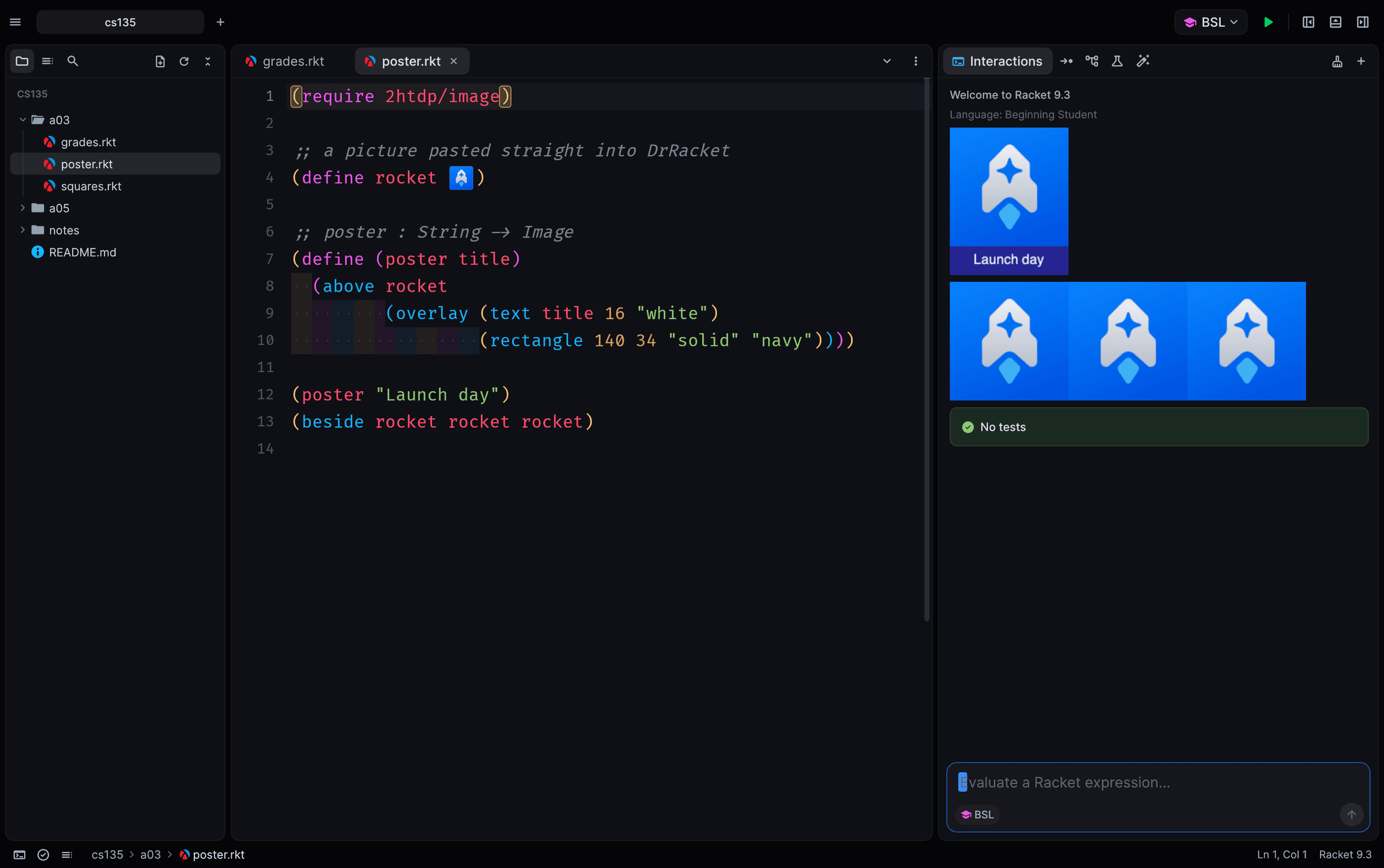
Files saved by DrRacket open with their images inline, run with real images, and save back in DrRacket’s format, so you can switch back at any time. Paste images straight from the clipboard, or use Insert Image.

A Beginning Student file saved by DrRacket with a pasted rocket image, and the REPL showing the images it produced.

Every course in a tab, a terminal one keystroke away.

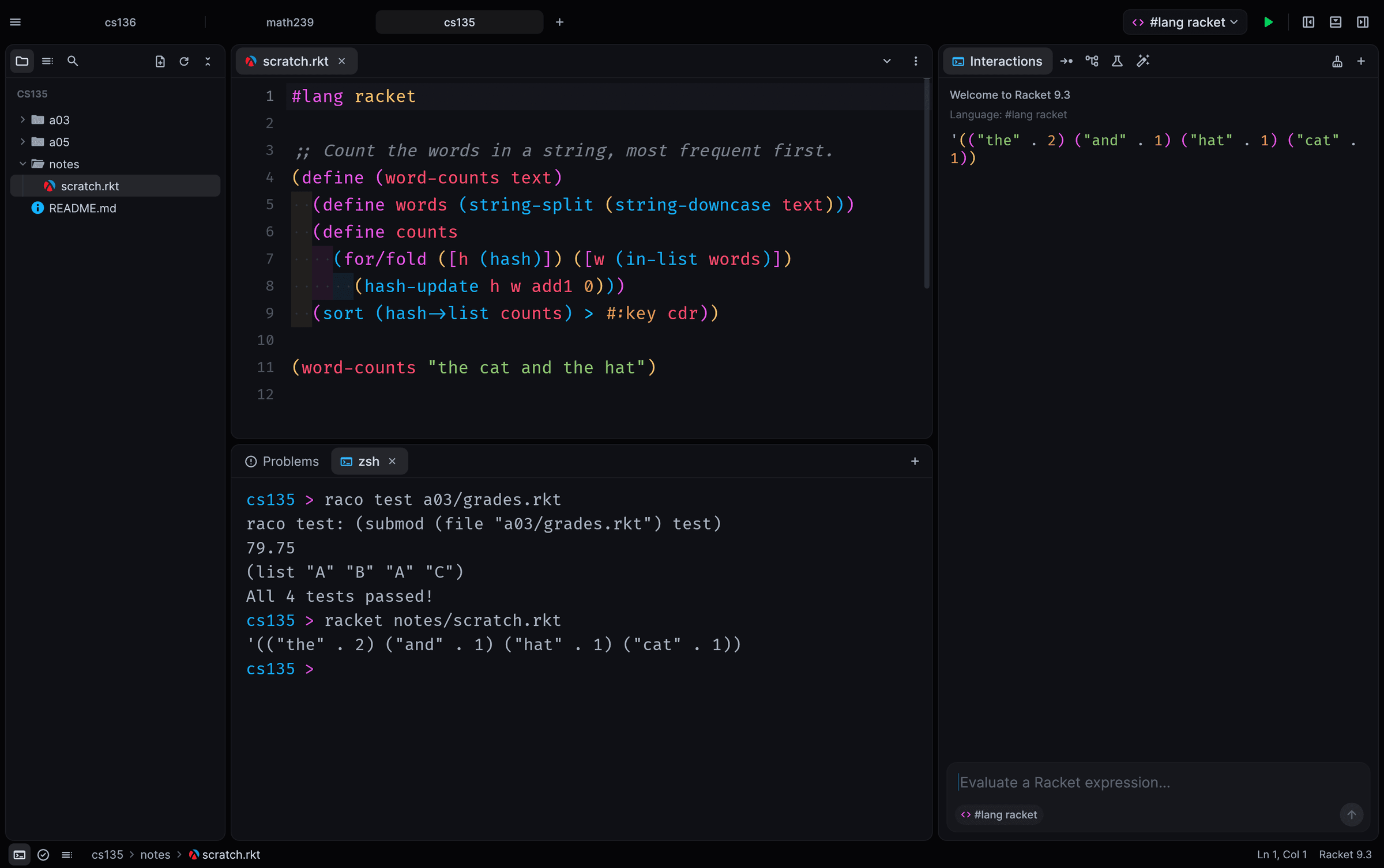
Keep each course open as a project tab with its own files and layout. Run raco in an integrated terminal, search the whole project, jump to any file with ⌘P and reach every command from the palette.

Three project tabs, cs136, math239 and cs135, with a #lang racket file open and an integrated terminal showing raco test results.

Zed-grade themes, set in Fira Code.

The default, Moiz One Dark, matches Zed’s One Dark Darker exactly. One Light, GitHub Light, Catppuccin, Gruvbox, Tokyo Night and DrRacket’s own colours are built in, and every Zed theme you have installed shows up too. Code is set in Fira Code, with ligatures and rainbow brackets.

-> => >= <= != λ

The same program in the One Light theme.

Every language level your course uses.

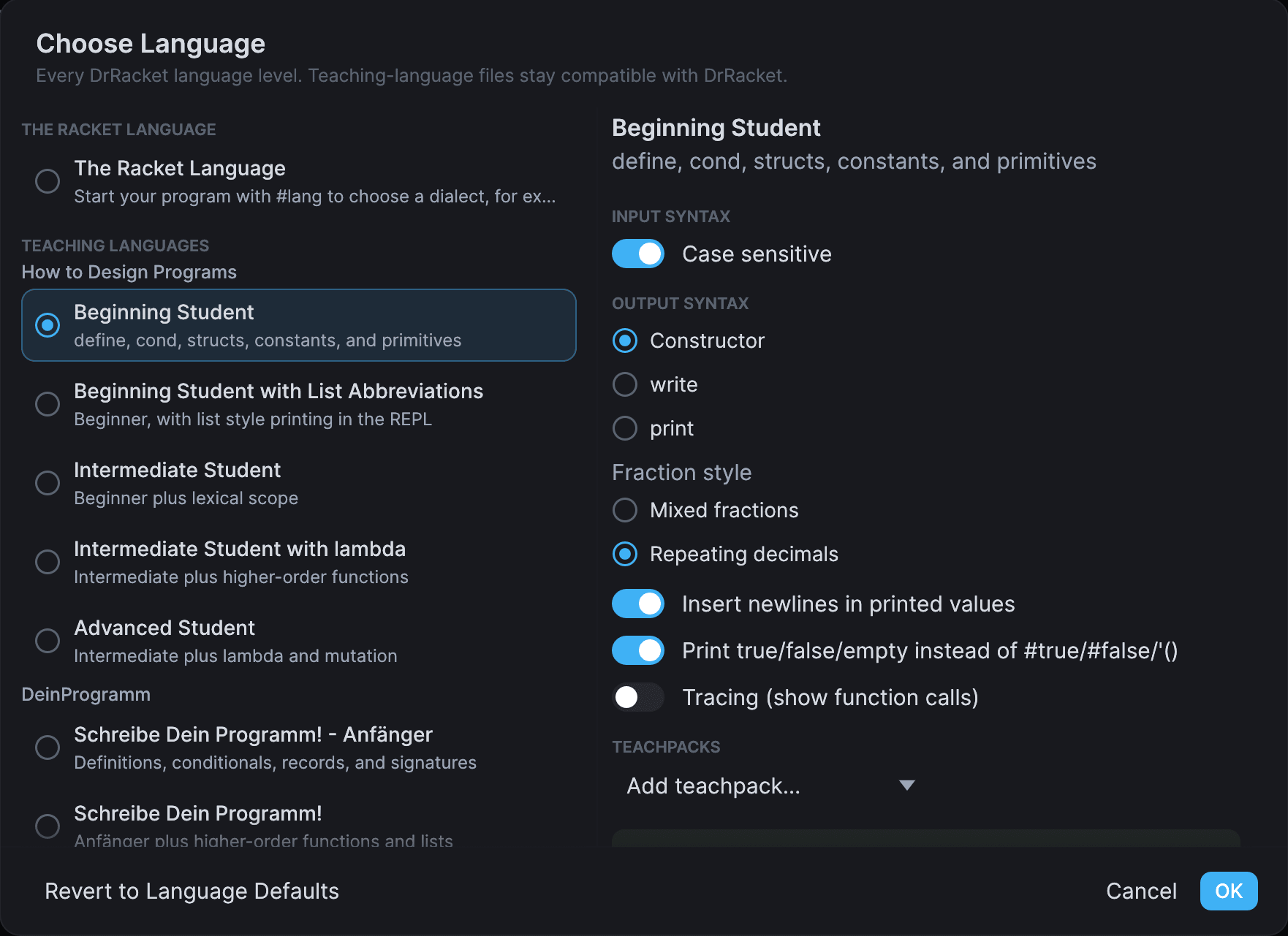
Pick a level just as you would in DrRacket. Teaching-language files keep DrRacket’s header, so they open in either IDE, and output style, fraction style, tracing and teachpacks come along.

How to Design Programs

  • Beginning Student
  • Beginning Student with List Abbreviations
  • Intermediate Student
  • Intermediate Student with lambda
  • Advanced Student

DeinProgramm

  • Anfänger
  • Schreibe Dein Programm!
  • fortgeschritten

Racket

  • #lang racket, and any #lang
  • R5RS
  • Pretty Big
The Choose Language dialog listing the Racket language, the How to Design Programs teaching languages and DeinProgramm, with output and fraction settings for Beginning Student.

Racket first, then Dr. Rocket.

Dr. Rocket is the editor; Racket runs your programs. Any recent Racket works and we test with 9.3. If you have DrRacket, you already have it. Otherwise, get Racket at racket-lang.org.

  1. macOS

    Universal DMG, Apple Silicon and Intel · 22 MB

    1. Open Dr.Rocket-1.0.0-beta.1.dmg and drag Dr. Rocket into Applications.
    2. The beta isn’t signed with an Apple certificate yet, so the first time, right-click the app and choose Open, then Open again.
    3. If macOS only offers Move to Trash, open System Settings, then Privacy & Security, and click Open Anyway next to Dr. Rocket.
    Download for macOS
  2. Windows

    64-bit zip, no installer · 11.5 MB

    1. Unzip Dr.Rocket-1.0.0-beta.1-windows-x64.zip.
    2. Run Dr. Rocket.exe from the Dr. Rocket folder.
    3. If Windows says “Windows protected your PC”, the beta isn’t signed yet: click More info, then Run anyway.
    Download for Windows
  3. Linux

    x64 tarball with a desktop entry · 12.1 MB

    1. Extract it: tar xzf Dr.Rocket-1.0.0-beta.1-linux-x64.tar.gz
    2. Run "Dr. Rocket/drrocket".
    3. For your app launcher, put drrocket on your PATH and copy drrocket.desktop to ~/.local/share/applications.
    Download for Linux

Dr. Rocket finds Racket on its own. If it says “Racket not found”, set the path in Settings, then Racket.

Common questions

Do I need Racket installed?

Yes. Dr. Rocket is the editor, and Racket runs your programs, the stepper and check syntax. Any recent version works; we test with 9.3. If you have DrRacket, you already have Racket. Dr. Rocket looks for it on your PATH, in Homebrew, in /Applications/Racket* and in C:\Program Files\Racket. Otherwise, get it at racket-lang.org.

Does it open my DrRacket files?

Yes, including files with pasted images and comment boxes. They run with real images and save back in DrRacket’s format, so you can reopen them in DrRacket. A few rare boxes (XML boxes, Racket boxes, test-case boxes and large letters) make a file open read-only, so it’s never damaged.

Is it free?

Yes. Dr. Rocket is free to download and use. It’s made by Moiz and John.

Does it run on Windows and Linux?

Yes: there’s a 64-bit Windows zip, a Linux x64 tarball and a universal Mac app. The full test suite runs on all three in CI. Most day-to-day use so far has been on macOS, so reports from Windows and Linux are especially welcome.

Why is macOS asking me to confirm, or Windows showing SmartScreen?

Because the beta isn’t code-signed yet. On macOS, right-click the app and choose Open the first time (or use Open Anyway in System Settings, Privacy & Security). On Windows, click More info, then Run anyway. You only need to do this once.

Does it work with my course’s language level?

If your course uses DrRacket’s teaching languages (Beginning Student through Advanced Student, or DeinProgramm) or #lang, yes: every level is there, with the same output and fraction settings and teachpacks. One caveat: DrRacket plugins, like a course’s handin Submit button, don’t run in Dr. Rocket, so submit the way your course allows outside DrRacket, or from DrRacket itself.

Is the stepper really the same as DrRacket’s?

It drives DrRacket’s own stepper, and we check it against DrRacket on the same files: step for step, including cons chains shown as lists and the closing step. As in DrRacket, Advanced Student, the advanced DeinProgramm level, R5RS and Pretty Big have no stepper.